
Can I Grant Administrative Access to a Team Member?
Admin Seats are a feature on our new Creator Max Plan. With Admin Seats, you can now invite team members, assistants, or managers to help run your Stan Store, without ever sharing your login details. 🔐
How to Invite a Team Member
-
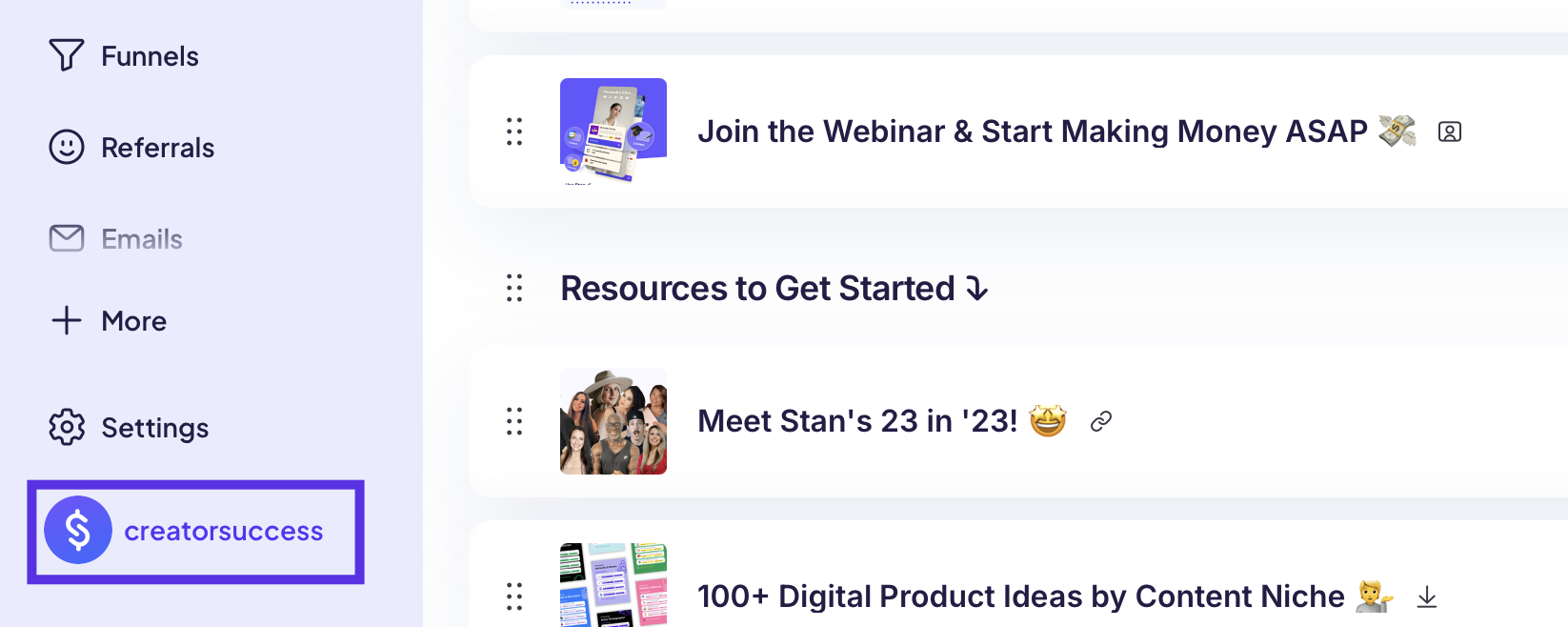
Click your store username in the bottom-left corner of your dashboard to open your account menu.
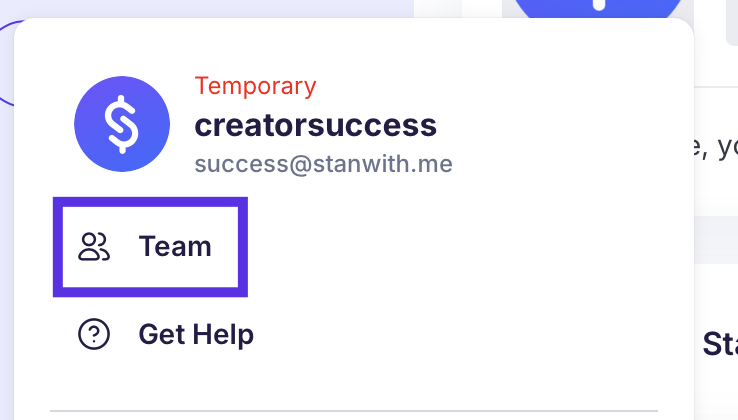
- Click Team.
- Enter the email address of the person you'd like to invite
- Select whether you will be granting Manager or Support access to your teammate.
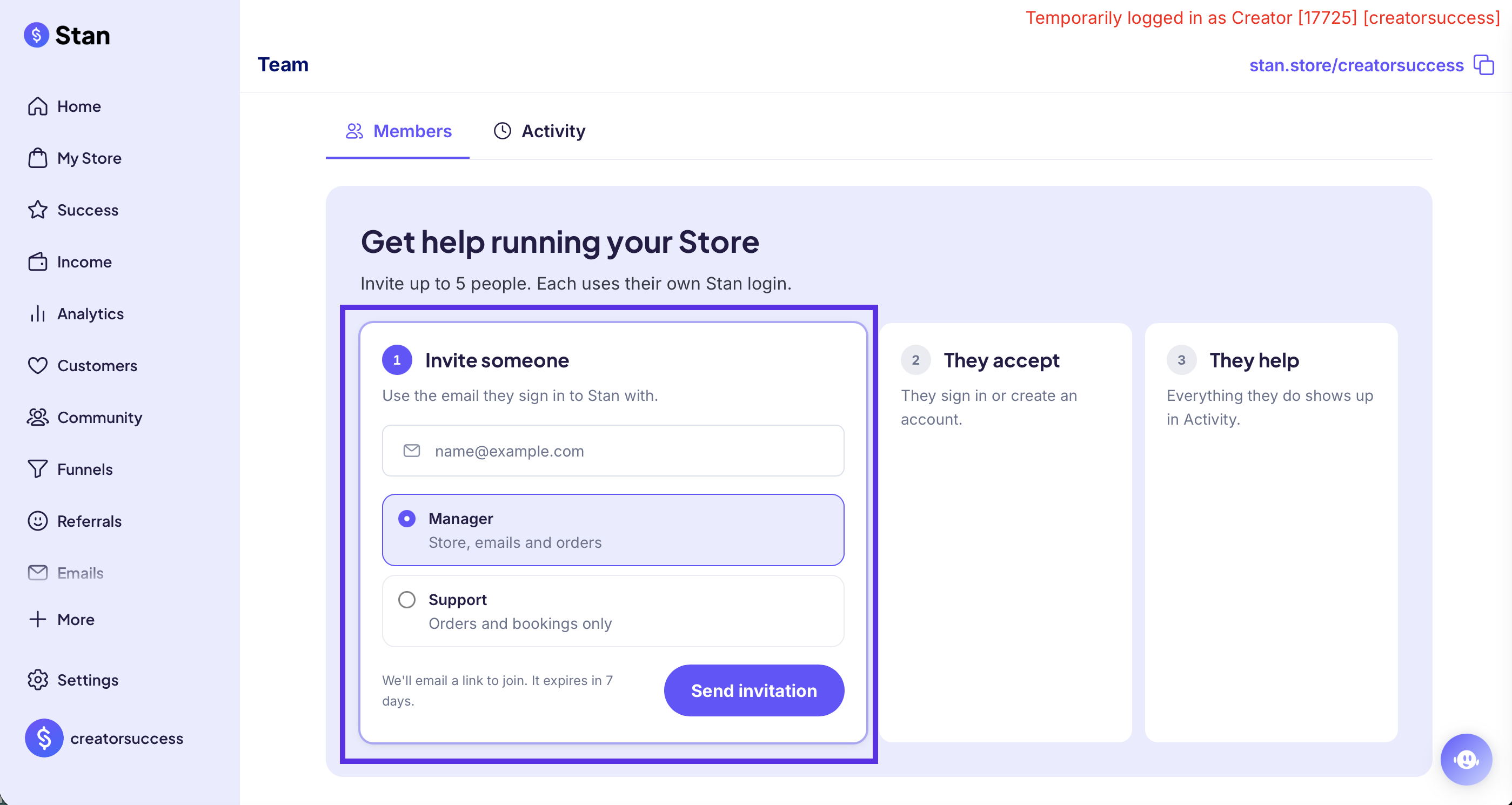
- Click Send Invitation.
- Your team member will receive an email invite. Once they accept, they'll choose a name and username for themselves.
- Once complete, you'll see your team member listed in your Team section of your store.
💡 You can invite anyone by email, even if they don't have a Stan account yet. They'll set one up when they accept the invite.
Frequently Asked Questions
What If My Team Member Already Has a Stan Store?
No problem! Existing Stan Creators can accept your invite too 🙌
Once they've joined your team, they can hop between their own store and yours using the Switch Store button in their account menu (after clicking their store uername in the bottom-left corner). No logging in and out needed!
What access does Admin Seats give to my team members?
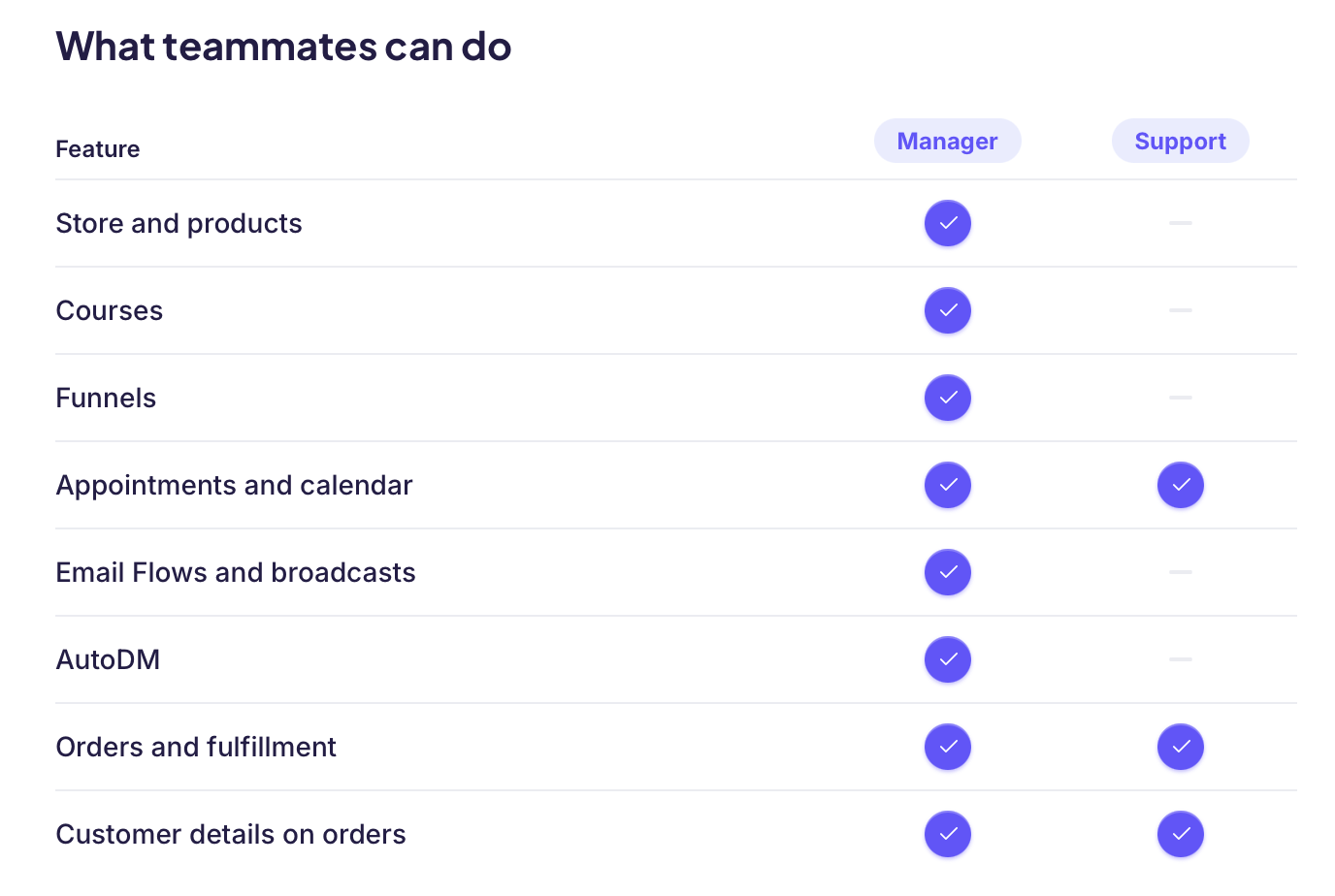
You can decide if you are granting Manager or Support access to your store, and the capabilities are different based on which access you grant! Here's a run down of what features your teammates can access with either seat type:
Why don't I see the option to upgrade to Creator Max to use this feature?
You may not see the option to upgrade to Creator Max ($299/ month) in your store, as this subscription option hasn't yet been released to all Creators. If you don't see the option to upgrade to Creator Max, and you're interested, please reach out to our support team!