
How to Use the Success Tab
Need help setting up your Store or learning a new feature? The Success tab is your go-to hub for everything you need to know about Stan Store, led by our in-house growth expert, Professor T.
It gives you quick access to video tutorials that help you learn new features, build your Store, and grow your business — all without leaving your dashboard.
💡 Good to know!
The Success tab is available directly from your Stan dashboard. New tutorials may be added over time as new features become available.
What is the Success tab?
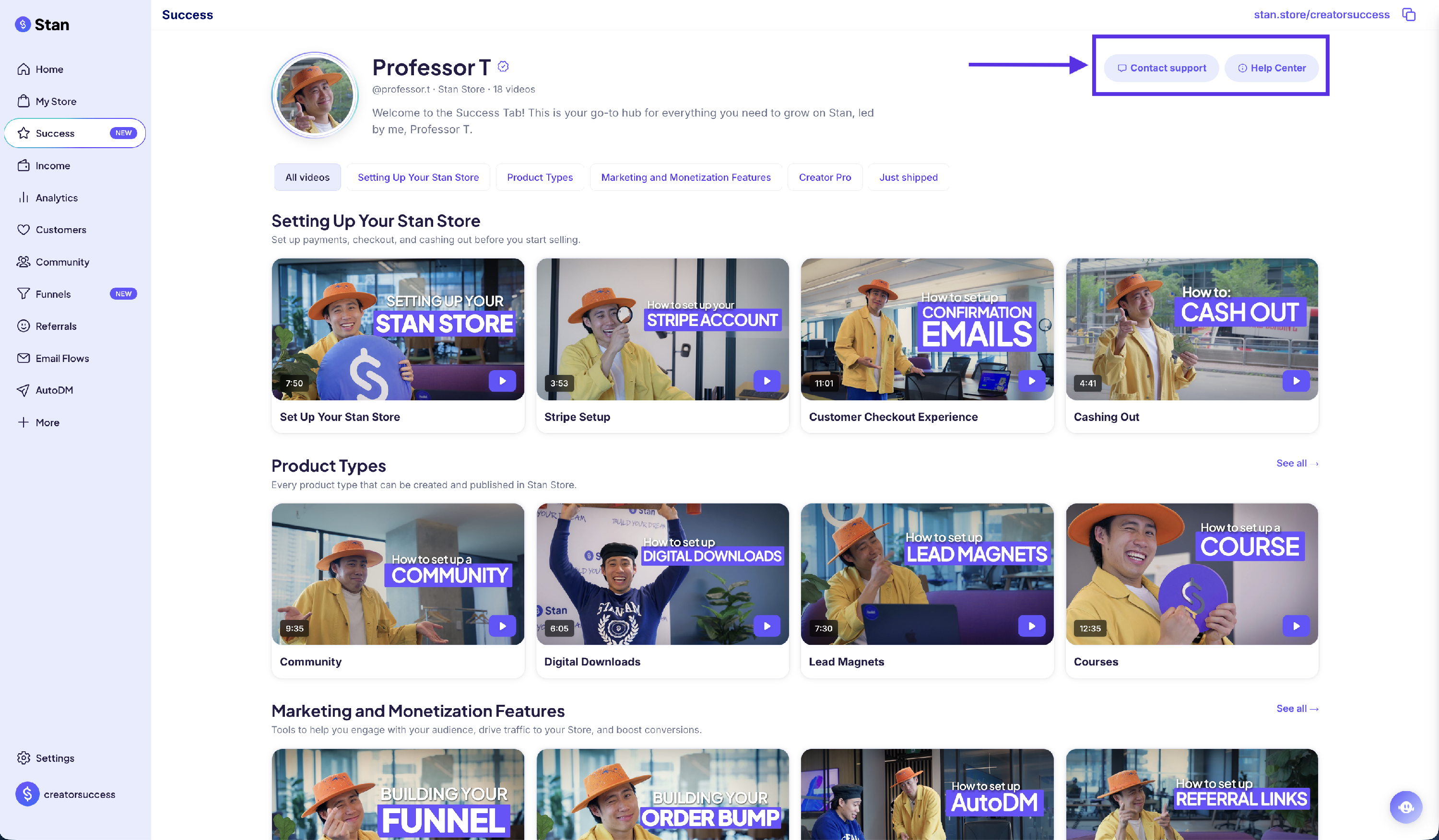
The Success tab is a dedicated space where you can watch short tutorials about Stan’s products, features, and tools. Whether you’re just getting started or learning about a new feature, you’ll find educational content organized into easy-to-browse categories.
What can I learn?
The Success tab is broken down into categories that cover topics including:
🛠️ Setting Up Your Stan Store: Onboarding Tutorial, Stripe Set Up, Customer Checkout Experience, Cashing Out.
✍️ Product Types: Community, Digital Downloads, Lead Magnets, Courses, Coaching Calls, Webinars, Custom Products and Memberships.
💸 Marketing and Monetization Features: Funnels, Order Bumps, AutoDM, Referrals, Email Marketing, and Affiliate Share.
➕ Creator Pro: This section includes videos on all features exclusive to Creator Pro!
🚀 Just Shipped: This section highlights our most recently shipped features!
How do I use the Success tab?
- Log in to your Stan account.
-
Click Success from the left-hand menu.
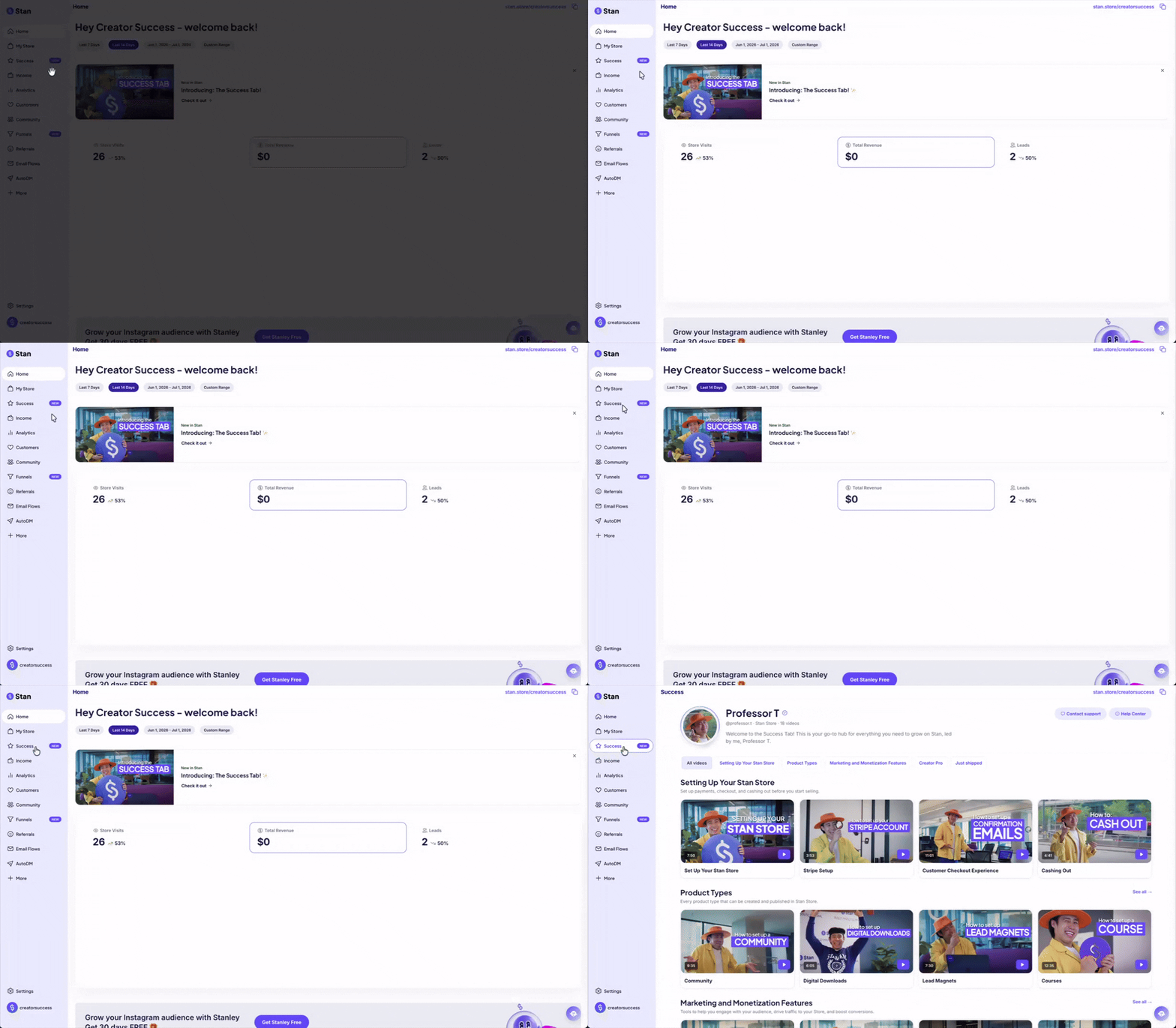
-
Browse the available categories.
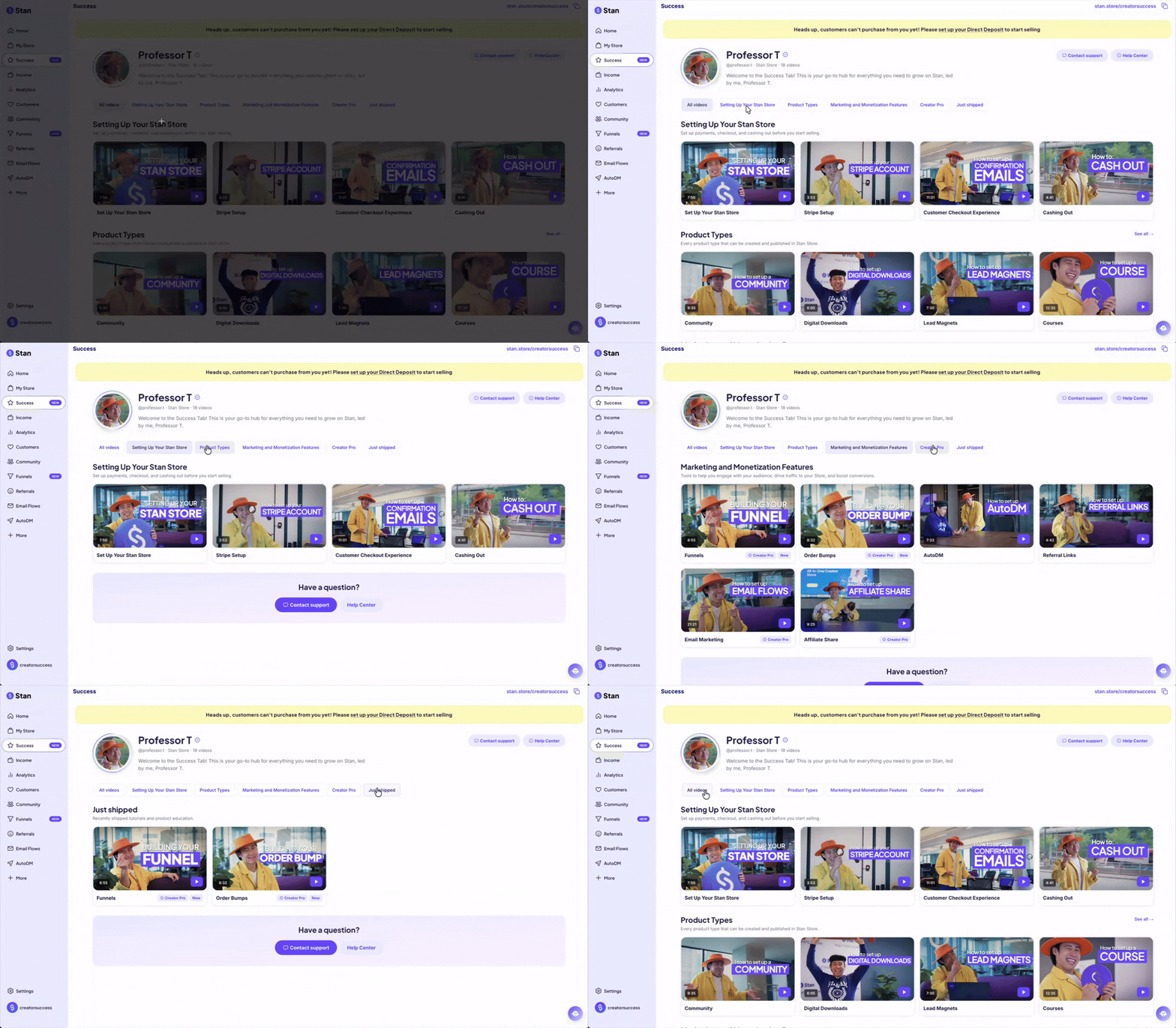
-
Click any video to start watching!
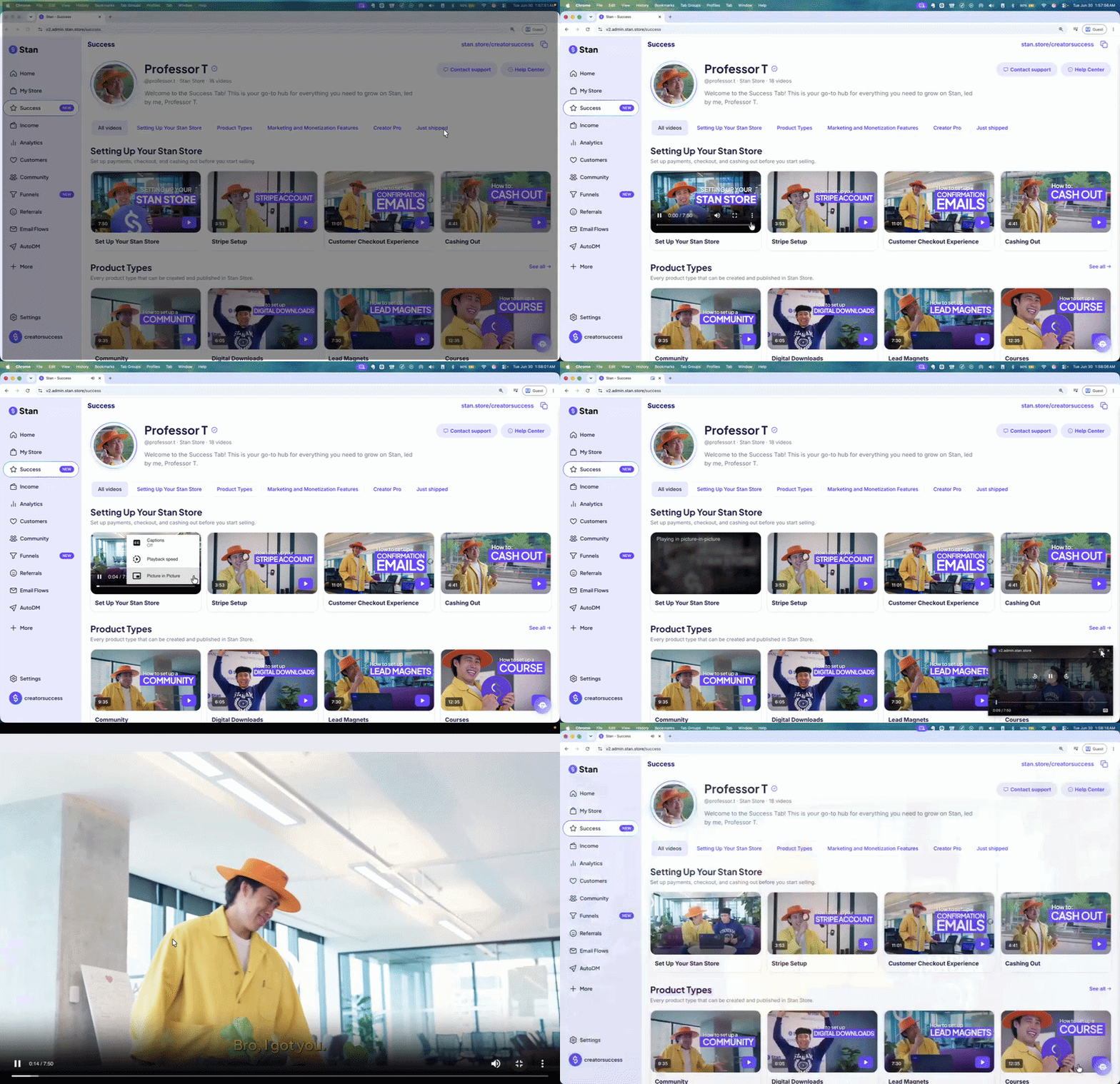
💡 You can also click the three vertical dots on the video and select Picture in Picture to make it appear on bottom-right corner of your screen. This allows you to continue navigating and making changes in your store while watching the video.
Learn while you build
You don’t always need to visit the Success tab to watch a tutorial. Throughout Stan, you’ll find videos to the supported features that open the relevant Success series lesson, so you can learn without leaving the page you’re working on.
For example, when creating or editing a product, you can click the video icon next to the Options tab to open the tutorial. A video player will appear in the bottom-right corner of the page, where you can watch the tutorial while continuing to work on your product.
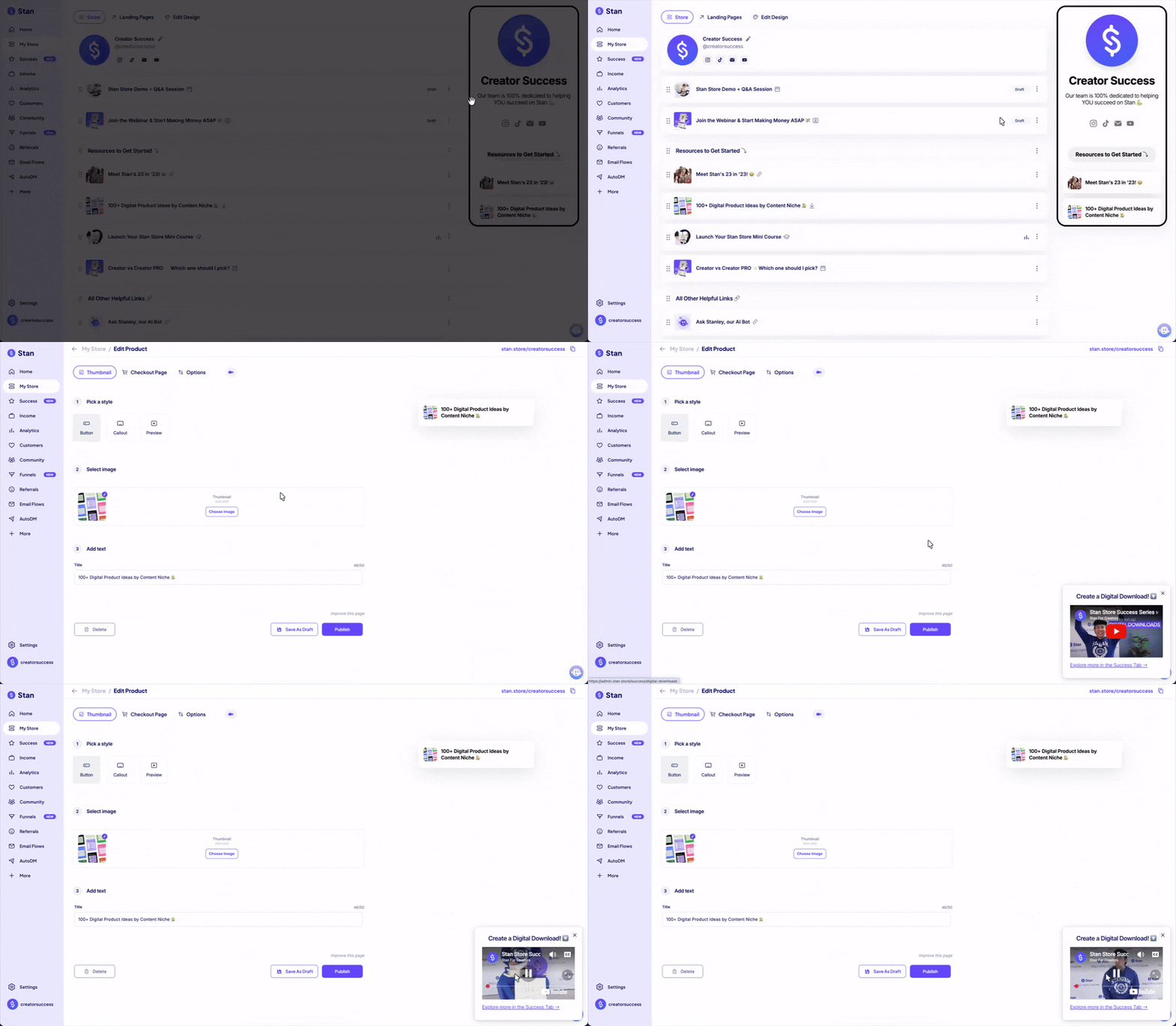
If you’d like to watch the tutorial in YouTube instead, click the video title at the top of the player to open it in a new browser tab.
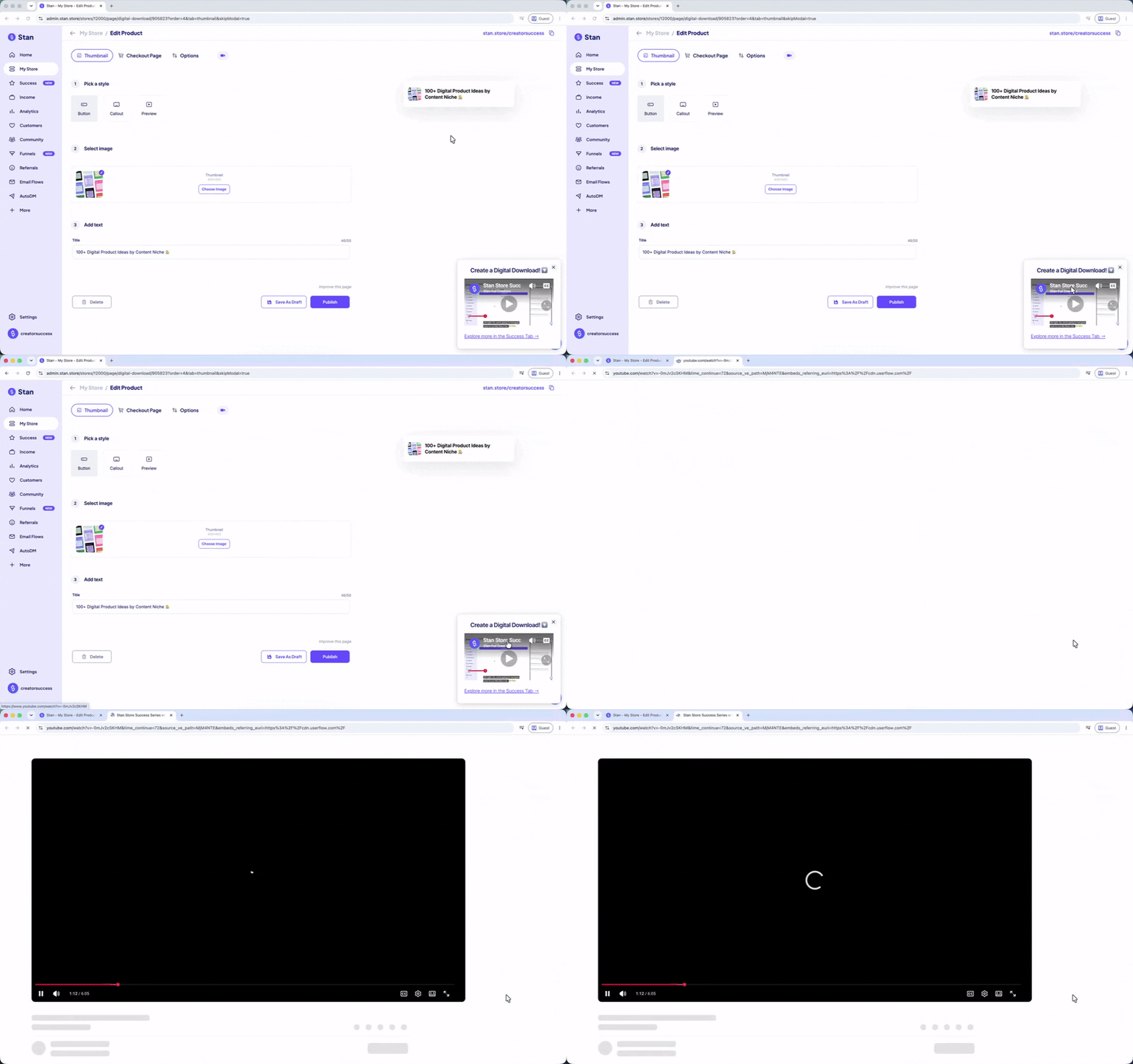
💡 Tip: These in-product tutorials are the same videos available in the Success tab, making it easy to get help exactly where you need it.
Need more help?
If you have a question that isn’t covered in a tutorial, you can use the buttons located at the top and bottom of the Success Tab.
💌 Contact Support to get email support from our team.
🙏 Help Center to browse all of the articles in our help center.
That’s it! The Success tab is a great place to learn new features, discover best practices, and get more out of your Stan Store.